
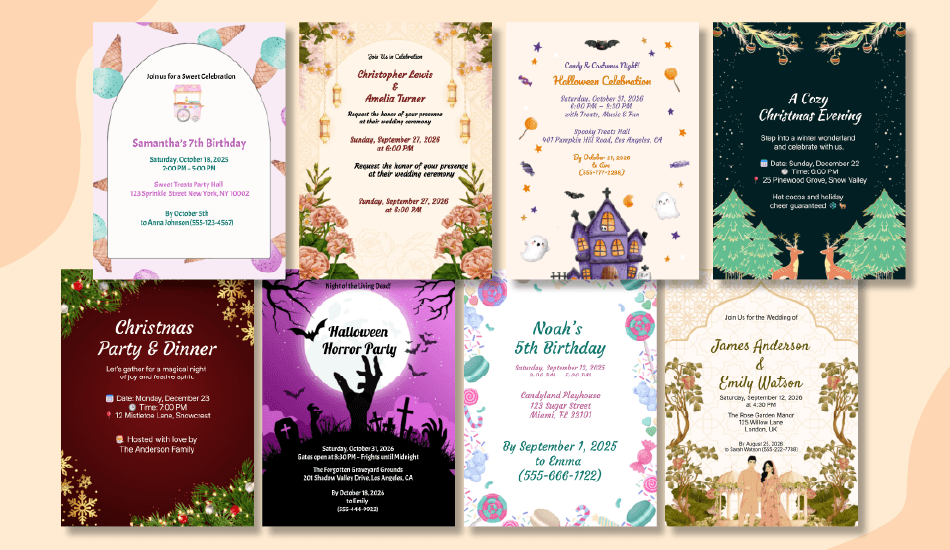
Modern Birthday Invitations: Templates, Wording & Tips
Whether you’re planning a kids’ party, a chic evening, or a milestone celebration, this guide shows you how to go from template → wording → share in minutes. Everything here is work-safe, inclusive, and copy-ready, plus we’ll nudge guests toward a Group Card so the birthday person gets messages of love in one place.
Before You Start (Plan & Format)
Audience & vibe (pick one to guide your choices)
- Kids: playful, bold colors, large type, clear RSVP for parents.
- Teen: casual, photo-forward, social handles allowed (opt-in), snack/music notes.
- Adult casual: bright, minimal, “no gifts,” and “come-and-go” friendly.
- Adult formal/milestone: elegant palette, clear dress code, RSVP by date.
Format choice: Digital vs Print
- Digital (fastest): share by link, email, WhatsApp, or Stories; built-in RSVP tracking; easy to edit; zero print cost.
- Print: tactile keepsake; bring to venue; ideal for family mailers. Budget time for printing and postage.
- Hybrid: design once, export PNG/JPG for digital and PDF for print.
Must-have fields checklist
- Who: host and honoree name(s)
- What: birthday + theme (if any)
- When: day, date, start/end time
- Where: venue name + full address (or “hosted at home” + city)
- RSVP: link/phone/handle and due date
- Extras (optional): dress code, parking, gate code, allergy info, “no gifts,” plus-ones/kids policy
Step-by-Step: Create Your Invitation (How-To)
- Pick a Template
Start with a 5×7 portrait layout (most print-friendly and fits Stories well). A5 is a fine alternate for international printing. Search “birthday invitation templates,” “5×7 invitation template,” or “Canva invitation template” if you prefer a drag-and-drop editor. - Choose Palette & Fonts
- Contrast ≥ 4.5:1 for readability.
- Use 2–3 fonts max (one for the title, one for details, and an optional accent).
- Keep emphasis with weight/size rather than color alone.
- Write the Details
Use the framework: Title → When/Where → RSVP → Optional notes. Keep lines short; avoid jargon. - Add Map/Notes/QR (optional)
A small QR code can link to Google Maps, an RSVP form, or your group card. - Proofread
Confirm spelling of names, date/time format, and venue pin. Do a “last-mile” check on phones/handles. - Export
- Digital: PNG or JPG at 1080–2048 px width (sharper on mobile).
- Print: PDF (300 dpi) with crop/bleed if your printer requires it.
- Share
Send by email, WhatsApp, SMS, link, or post to Stories. Include a short note (“Tap RSVP and add a line to the Group Card!”). - Track RSVPs
- Use the invite’s built-in RSVP, or link a Google Form.
- Reminder cadence: 1 week before RSVP due, then 48 hours before the event.
Copy-Ready Wording Templates (Swap brackets)
Use these exactly as is; just replace the brackets. Keep lines tight for small screens.
All-Ages Classic
- You’re invited to [Name]’s birthday!
When: [Day, Month DD at Time] • Where: [Venue/Address]
RSVP: [Link/Phone] by [Date] - Join us to celebrate [Name]!
[Day, Month DD, Time] at [Venue]. RSVP: [Link] by [Date] - Birthday gathering for [Name]
[Date/Time], [Address]. Kindly RSVP by [Date] to [Phone/Link]. - Let’s party! [Name] turns [Age]
[Date/Time], [Venue]. RSVP [Link] • No gifts, please.
Kids Party (Playful)
- Cake, games & giggles—[Name] turns [Age]!
When/Where: [Date/Time], [Venue]
RSVP: [Parent Name, Phone] by [Date] • Allergies: [Optional] - Jump, play, celebrate!
It’s [Name]’s [Age] birthday on [Date/Time] at [Venue].
RSVP to [Parent Name] at [Phone]. Dress: comfy for play. - Super-fun party for [Name]!
[Date], [Time], [Address]. RSVP: [Phone] • Theme: [Optional] - Bring your sparkle for [Name]’s big day
[Date/Time], [Venue]. RSVP by [Date]. Note: parking behind hall.
Teen Party (Casual)
- [Name] is [Age]! Music, photos, snacks.
[Date/Time] • [Venue]
RSVP: [Handle/Phone] by [Date] • No gifts, just good vibes. - Birthday hang for [Name]
[Date], [Time] at [Venue]. RSVP [Link]. Bring a friend? Ask first. - Chill night for [Name]’s [Age]
[Venue], [Date/Time]. Dress: casual. RSVP: [Handle/Phone]. - Photos + pizza + playlists
Celebrate [Name] on [Date/Time]! RSVP [Link] • Drop-off/pick-up: [Spot]
Adult Evening (Chic)
- Celebrate [Name] over drinks & small bites
Date/Time: [Month DD, Time] • Location: [Venue]
RSVP: [Contact/Link] • Dress: cocktail-casual - An evening for [Name]
[Date/Time], [Address]. Kindly RSVP by [Date]. Note: Valet on site. - Birthday aperitivo for [Name]
[Venue], [Date/Time]. RSVP [Link]. Theme: modern monochrome. - Toast to [Name]
[Date/Time], [Venue]. RSVP [Phone/Link]. No gifts, please.
Milestone (Formal)
- Join us for [Name]’s [Milestone]
Date/Time: [Day, Month DD, Time] • Venue: [Address]
Kindly RSVP by [Date] to [Link/Phone]. - A milestone celebration for [Name]
[Date/Time], [Venue]. Black tie optional. RSVP by [Date]. - [Age] Years of [Name]
[Date], [Time], [Venue]. Reception to follow. RSVP [Link].
Surprise Party
- Shhh, surprise for [Name]!
Arrive by: [Time] • “Surprise” at: [Time]
Location: [Venue] • RSVP: [Link] • Don’t spill the secret! - Top secret birthday mission
[Date/Time], [Venue]. Arrivals: [Time]. RSVP: [Link/Phone]. - It’s a surprise, hush!
[Venue] on [Date/Time]. Park on [Street]. RSVP [Link].
Design Best Practices (Readable & On-Brand)
- Hierarchy: Title 24–32 pt, details 14–16 pt, RSVP 16–18 pt.
- Contrast & spacing: ample line height (1.3–1.6); avoid text over busy areas, use a soft overlay.
- Imagery: balloons, confetti, icons, or a single photo. Keep the focal point clear.
- Accessibility: avoid tiny script fonts; ensure color-blind-safe combos (e.g., blue/orange, purple/yellow).
- Brand details: repeat one accent color; keep corners/margins consistent.
Timing & Etiquette
- When to send:
- Kids: 2–3 weeks out (families plan weekends).
- Local adult: 3–4 weeks.
- Destination/holiday: 6–8 weeks.
- Reminders:
- 1 week before RSVP due.
- Day-before nudge with time/parking pin.
- Plus-ones & kids: state the policy clearly; offer a contact for exceptions.
- Gifts: Set expectations with a gentle line, “Your presence is the gift!” or a registry link if asked.
RSVP & Guest List (Links, QR, Reminders)
Methods
- Built-in RSVP on your digital invite
- Google Form (name, headcount, dietary needs, accessibility notes)
- QR to a simple landing page
What to track
- Headcount (adults/kids)
- Dietary/allergy notes
- Arrival window (optional)
- Accessibility needs (e.g., ramp, quiet corner)
Sheet basics
- Columns: Name • Guests • Contact • RSVPed (Y/N) • Notes.
- Sort by status weekly; follow up 48 hours pre-event for stragglers.
After the event
- Share photos or start a group thank-you card so everyone can sign in one link: Start a group card.
Print Specs (Sizes, DPI, Paper)
- Size: 5×7 in (≈ 1500×2100 px @ 300 dpi). A5 is a fine alternative (148×210 mm).
- Bleed: 0.125 in on all sides; safe margin: 0.25 in for text.
- Paper: 80–100 lb cover (216–270 gsm), matte or silk; envelopes: A7 for 5×7.
- Export: PDF (print) with crop marks; print at 100% (avoid “fit to page”).
- Digital copy: keep a PNG/JPG for sharing.
FAQs
What if I’m short on time?
Use a ready birthday invitation template, share digitally today, and print later if needed. Keep wording to 3–4 lines and include a direct RSVP link.
Can I add a photo?
Yes. Use a photo-frame template or place a photo beneath a translucent overlay for readability. Ensure the subject’s face isn’t covered by text.
Do you support printable + digital from one design?
Yes, export PNG/JPG for digital sharing and PDF (300 dpi) for printing. Keep margins safe so both versions look clean.
How do I handle dietary needs?
Add a dietary field in your RSVP form and send a brief confirmation message to guests with allergies, noting what will be available.
Is a “no gifts” line okay?
Absolutely. Keep it simple: “Your presence is the gift,” or offer a charity option if you like.
Tags
Ready to Create Your Own Digital Cards?
Join 25,000+ workplaces already creating beautiful group cards and digital invitations — free, fast, and collaborative.
Search
Recent Articles

Birthday Wishes for Your Boss (Professional & Warm)
September 19, 2026

Birthday Wishes for a Coworker (100+ Messages)
September 19, 2026

Golden Birthday Wishes, Sayings & Captions
September 19, 2026

Funny Work Anniversary Quotes & Messages
September 15, 2026

What Is a Golden Birthday? Meaning, Rules & How to Calculate It
September 15, 2026