
Wedding Congrats from All of Us
A free group wedding card — personalise it, invite everyone to sign, and deliver it by email or link.
Personalise your card
Takes about a minute. Nothing is sent until you're ready.
About this design
About the Wedding Congrats from All of Us
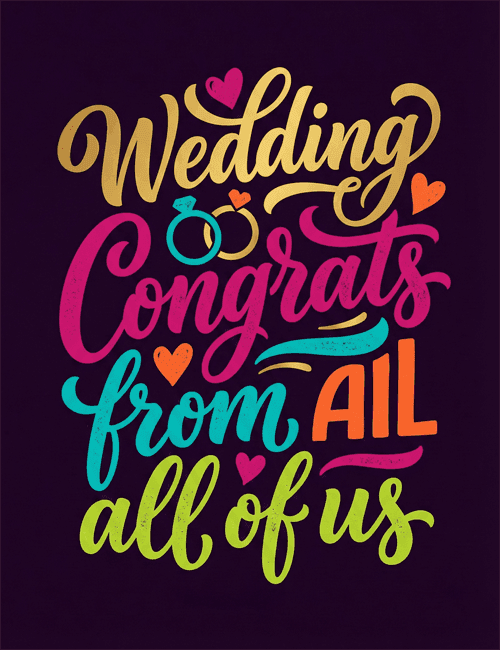
Against a deep plum background, hand-lettered words in gold, magenta, teal, orange and lime green stack up like a little celebration.
"Wedding" sits at the top in a gold-toned script with a long curling swash, and "Congrats" follows in bold pink. Two interlocking rings, one teal and one gold, sit between them, with small hearts scattered around the lettering. The color-blocked type feels lively and generous, and the dark backdrop makes every shade stand out. It's a wedding card with real personality, a good fit for a couple who'd rather laugh than get something formal. Because the message comes from everyone, it works well as a group wedding ecard for coworkers, friends or extended family to sign together. It's a cheerful way to show the couple how many people are happy for them.
Browse all wedding cards




Good to know
Frequently Asked Questions
Find answers to common questions about our group cards and services.