
The Entire Team Sends You Love
A free group baby shower card — personalise it, invite everyone to sign, and deliver it by email or link.
Personalise your card
Takes about a minute. Nothing is sent until you're ready.
About this design
About the The Entire Team Sends You Love
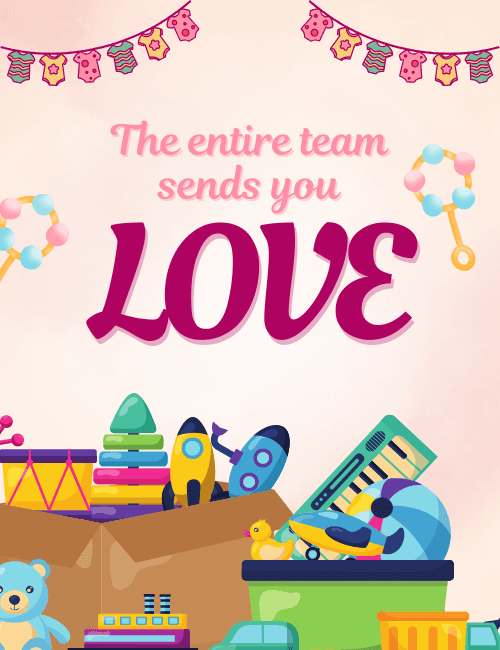
A garland of tiny baby onesies in pink, yellow, and teal strung across the top sets the tone, and the toy box spilling over at the bottom finishes the picture.
There's a teddy bear, a stacking ring toy, a little drum, a toy keyboard, a rubber duck, and a couple of rockets, all in soft pastels. In the middle, "The entire team sends you" is written in light pink script above a big, bold "LOVE" in deep magenta. It reads as warm and playful rather than formal. This baby shower card suits a coworker who's expecting, whether you're sending a quick note from your own desk or collecting signatures from the whole department. Because it can be sent online and signed together as a group, it's easy to include remote teammates too. It's a cheerful way to tell a soon-to-be parent that the people they work with are thinking of them.
Browse all baby shower cards




Good to know
Frequently Asked Questions
Find answers to common questions about our group cards and services.