
Say Hey, Friend! – Friendship Day Card
A free group bond cards card — personalise it, invite everyone to sign, and deliver it by email or link.
Personalise your card
Takes about a minute. Nothing is sent until you're ready.
About this design
About the Say Hey, Friend! – Friendship Day Card
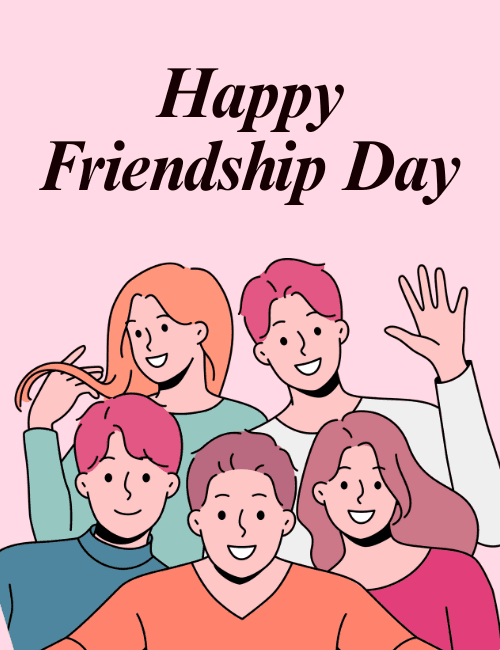
Soft pink fills the background of this Friendship Day card, with "Happy Friendship Day" set in bold, dark italic serif lettering across the top.
Below it, five friends crowd into the frame in a flat, cartoon style, all smiling. One in the back waves at the viewer, another twirls a strand of long orange hair, and their sweaters come in teal, coral, white, blue and hot pink. Everyone is squeezed in close, like a group photo where nobody wants to be left out. The mood is relaxed, cheerful and a little goofy. It makes a good Friendship Day ecard for a close friend, a longtime crew or a group chat that never goes quiet. Send it on its own, or pass it around so everyone can sign. It's a simple way to say hey and mean it.
Browse all bond cards – celebrate relationships together onlineNot quite right?
More bond cards – celebrate relationships together online


Good to know
Frequently Asked Questions
Find answers to common questions about our group cards and services.