
One Step Closer Feel Better Soon Card
A free group get well soon card — personalise it, invite everyone to sign, and deliver it by email or link.
Personalise your card
Takes about a minute. Nothing is sent until you're ready.
About this design
About the One Step Closer Feel Better Soon Card
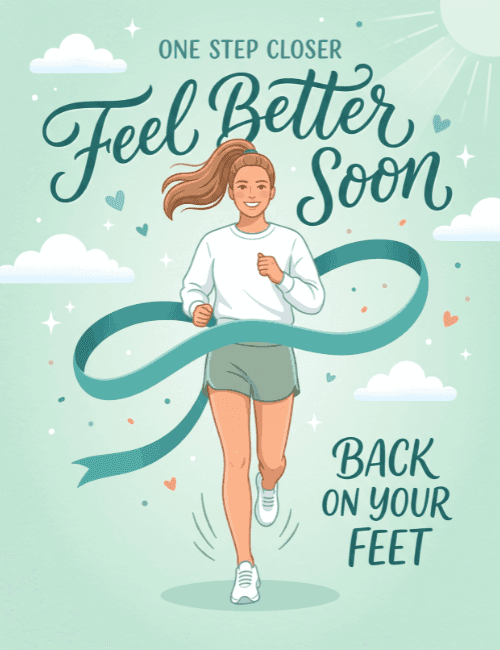
A smiling woman with a swinging ponytail jogs straight toward you on a soft mint background, a teal ribbon looping around her like a finish line she's about to break through.
She wears a white sweatshirt, sage shorts, and white sneakers, and the little motion lines near her feet give the whole scene a sense of forward momentum. Teal script spells out "Feel Better Soon," with "One Step Closer" above and "Back on Your Feet" below. Tiny hearts, sparkles, puffy clouds, and a faint sun in the corner keep the mood gentle and sunny. This get well soon card suits someone recovering from an injury, surgery, or a long illness, especially a friend or coworker you'd like to cheer on. Send it online or have the group sign it together. It says recovery is progress, one step at a time.
Browse all group get well soon cardsNot quite right?
More group get well soon cards



Good to know
Frequently Asked Questions
Find answers to common questions about our group cards and services.