
Off To Better Things – New Job Farewell Card
A free group farewell card — personalise it, invite everyone to sign, and deliver it by email or link.
Personalise your card
Takes about a minute. Nothing is sent until you're ready.
About this design
About the Off To Better Things – New Job Farewell Card
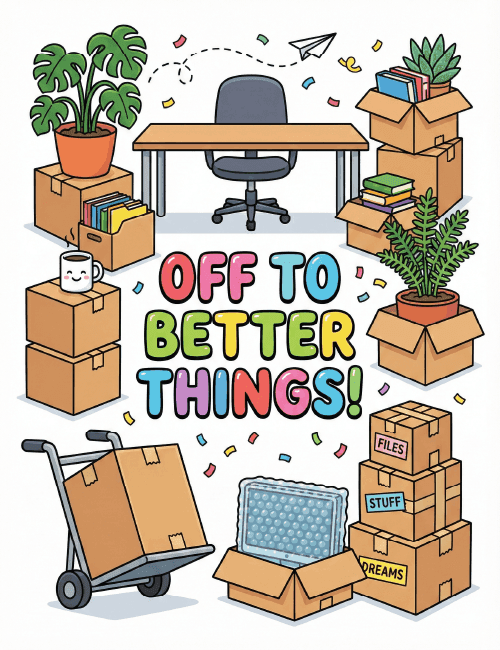
Packed boxes, a rolling hand truck and an empty desk with the chair pushed back tell the story before you read a word.
The lettering says "Off to Better Things!" in rounded, glossy letters of pink, orange, green, blue and purple, surrounded by drifting confetti and a little paper airplane. Look closer and the details add humor: a smiling coffee mug on a stack of boxes, a monstera and a fern waiting to be carried out, and labels reading "Files," "Stuff" and "Dreams." That last one is a nice touch. This new job farewell card is cheerful rather than sentimental, so it suits a coworker you'll miss but are happy for. Send it online, or pass it around so the whole team can sign. It sends them off with a laugh and a good word.
Browse all free group farewell cards onlineNot quite right?
More free group farewell cards online





Good to know
Frequently Asked Questions
Find answers to common questions about our group cards and services.