
Neon Goodbye & Good Luck Farewell Card
A free group farewell card — personalise it, invite everyone to sign, and deliver it by email or link.
Personalise your card
Takes about a minute. Nothing is sent until you're ready.
About this design
About the Neon Goodbye & Good Luck Farewell Card
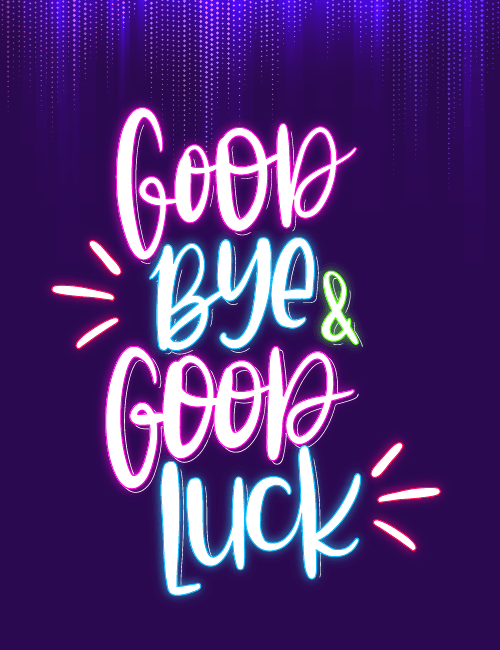
Glowing neon lettering stacked against a deep indigo background gives this farewell card the feel of a sign lit up after dark.
"Good Bye & Good Luck" is written in loose, brushy script, with "Good" in hot pink, "Bye" and "Luck" in electric blue, and a small green ampersand tucked between them. Short pink and red dashes flick out on either side like sparks, and faint streaks of purple light fall from the top edge like a curtain of stage lights. It's playful and upbeat rather than sentimental, which suits a send-off that's more celebration than sad goodbye. Send it as a farewell card for a coworker heading to a new job, a classmate moving away, or a teammate finishing a project. It also works well signed by a whole group, so everyone can add their own good wishes.
Browse all free group farewell cards onlineNot quite right?
More free group farewell cards online





Good to know
Frequently Asked Questions
Find answers to common questions about our group cards and services.