
My Apologies Sorry Apology Card
A free group sorry (apology) card — personalise it, invite everyone to sign, and deliver it by email or link.
Personalise your card
Takes about a minute. Nothing is sent until you're ready.
About this design
About the My Apologies Sorry Apology Card
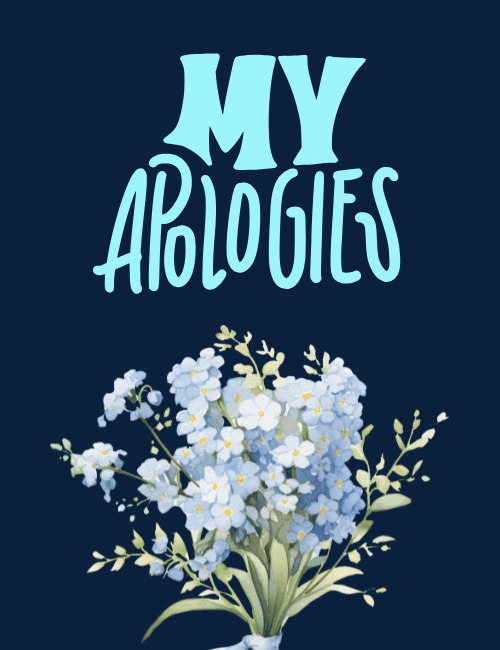
Pale blue forget-me-nots, painted in soft watercolor, fill the lower half of this card, tied in a loose bouquet with a ribbon at the stem and sprigs of green trailing off to the sides.
Above them, "My Apologies" is set in hand-lettered capitals in light aqua, with a heavy, chunky "MY" over a taller, narrower "APOLOGIES," all against a deep navy background. The contrast makes the flowers glow, and the mood stays quiet and sincere rather than dramatic. Forget-me-nots carry a gentle "please remember me" feeling, which suits a sorry card well. It's a good fit for a friend, partner, family member, or coworker when you want to own a mistake without making a fuss. Send it as an online apology ecard, or have a group sign it together. A calm, honest way to start patching things up.
Browse all sorry (apology) cards


Good to know
Frequently Asked Questions
Find answers to common questions about our group cards and services.