
Minimal Goodbye and Good Luck Card
A free group farewell card — personalise it, invite everyone to sign, and deliver it by email or link.
Personalise your card
Takes about a minute. Nothing is sent until you're ready.
About this design
About the Minimal Goodbye and Good Luck Card
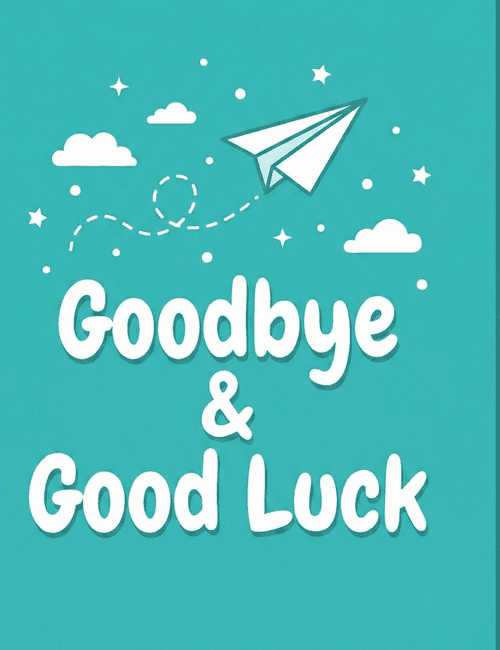
A white paper airplane glides across a deep teal background, trailing a looping dashed line behind it, with small clouds, sparkles, and scattered dots filling the sky.
Below, "Goodbye & Good Luck" is set in soft, rounded white lettering that feels friendly and relaxed rather than formal. The design is simple and uncluttered, which is why this minimal goodbye card works for so many farewells: a coworker moving on, a teammate heading to a new job, a classmate relocating, or a friend starting a fresh chapter somewhere else. The airplane gives it an upbeat, forward-looking mood, so the message reads as encouragement more than sadness. Send it as a farewell ecard on someone's last day, or pass it around so everyone can sign. It's a warm way to wish someone well as they take off.
Browse all free group farewell cards onlineNot quite right?
More free group farewell cards online





Good to know
Frequently Asked Questions
Find answers to common questions about our group cards and services.