
May Ramadan Light Your Way – Peaceful Ramadan Wishes Card
A free group ramadan mubarak cards card — personalise it, invite everyone to sign, and deliver it by email or link.
Personalise your card
Takes about a minute. Nothing is sent until you're ready.
About this design
About the May Ramadan Light Your Way – Peaceful Ramadan Wishes Card
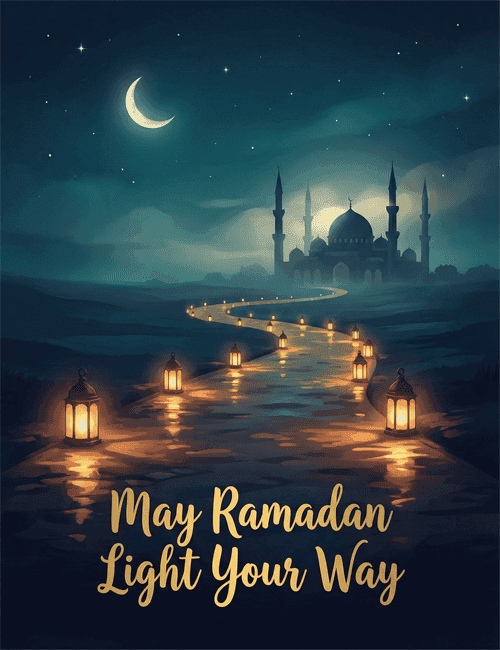
A winding path of glowing lanterns leads across a dark teal landscape toward a mosque with a central dome and four slender minarets, all softly silhouetted under a crescent moon and scattered stars.
The lantern light pools in warm amber reflections along the path, which makes the night feel calm and quietly hopeful. The message, "May Ramadan Light Your Way," is set in flowing golden script that echoes that glow. It's a gentle Ramadan card for sharing good wishes with friends, family, neighbors, or coworkers as the month begins or at any point during it. You can send it online on your own or let a group sign it together. A warm, peaceful way to say you're thinking of someone and wishing them a blessed Ramadan.
Browse all ramadan mubarak cardsNot quite right?
More ramadan mubarak cards




Good to know
Frequently Asked Questions
Find answers to common questions about our group cards and services.