
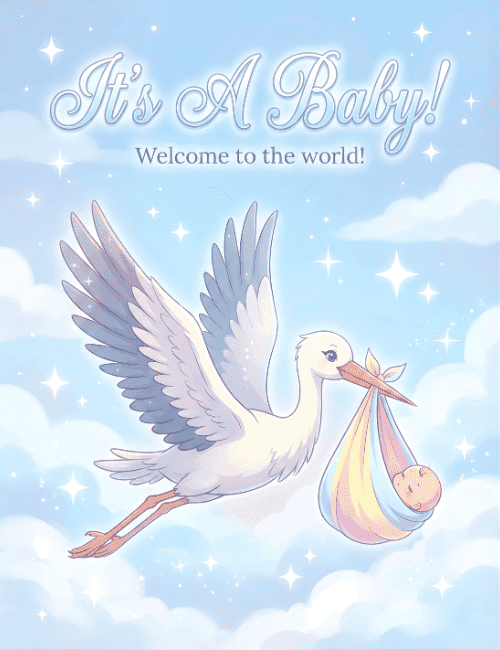
Its A Baby Welcome To The World Stork Baby Shower Card
A free group baby shower card — personalise it, invite everyone to sign, and deliver it by email or link.
Personalise your card
Takes about a minute. Nothing is sent until you're ready.
About this design
About the Its A Baby Welcome To The World Stork Baby Shower Card
A white stork glides across a soft blue sky, carrying a sleeping baby in a pastel bundle of pink, yellow, and blue.
Its wings are tipped in dusty lavender-gray, and the bundle is knotted at the top and held gently in its orange beak. Fluffy clouds and small white sparkles fill the background, and the script lettering at the top reads "It's A Baby!" with "Welcome to the world!" just beneath. Because the bundle isn't tied to pink or blue, this baby shower card works whether the news is a surprise or the gender is still a secret. It's a sweet pick for new parents, an expecting friend, or a coworker's shower. Send it online or let everyone sign together, and give the parents-to-be a little cloud of good wishes.
Browse all baby shower cards


Good to know
Frequently Asked Questions
Find answers to common questions about our group cards and services.