
Happy Wedding Stylish Typography Greeting Card
A free group wedding card — personalise it, invite everyone to sign, and deliver it by email or link.
Personalise your card
Takes about a minute. Nothing is sent until you're ready.
About this design
About the Happy Wedding Stylish Typography Greeting Card
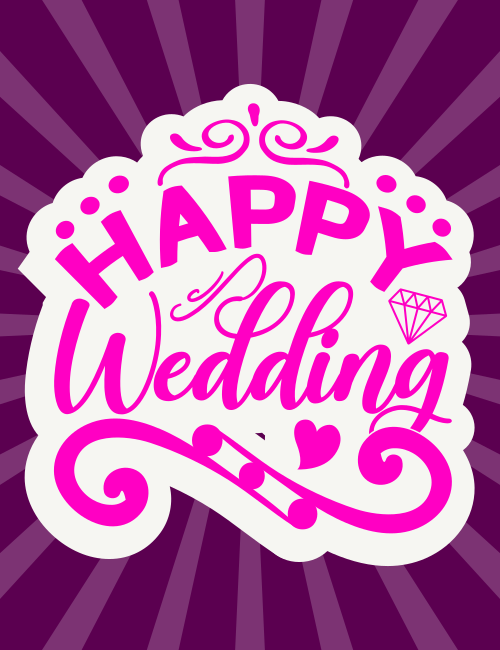
Hot pink lettering pops against a deep plum background streaked with soft, lighter purple rays that fan out from the center.
The words "Happy Wedding" sit on a cream cutout shape with a scalloped edge, a little like a sticker. "Happy" is set in bold capitals that bounce along an arc, while "Wedding" is written in a flowing script with a big swirling flourish underneath. Small touches fill the space: a tiny diamond ring outline, a solid heart, curled flourishes on top, and scattered dots. It's playful and glamorous at once, which makes it a fun wedding card for a couple who like their celebrations a bit bold. Send it to friends, family, or a coworker getting married, or pass it around so everyone can sign it together. It's a cheerful way to tell the couple you're thrilled for them.
Browse all wedding cards


Good to know
Frequently Asked Questions
Find answers to common questions about our group cards and services.