
Good Times Goodbye Good Luck Card
A free group farewell card — personalise it, invite everyone to sign, and deliver it by email or link.
Personalise your card
Takes about a minute. Nothing is sent until you're ready.
About this design
About the Good Times Goodbye Good Luck Card
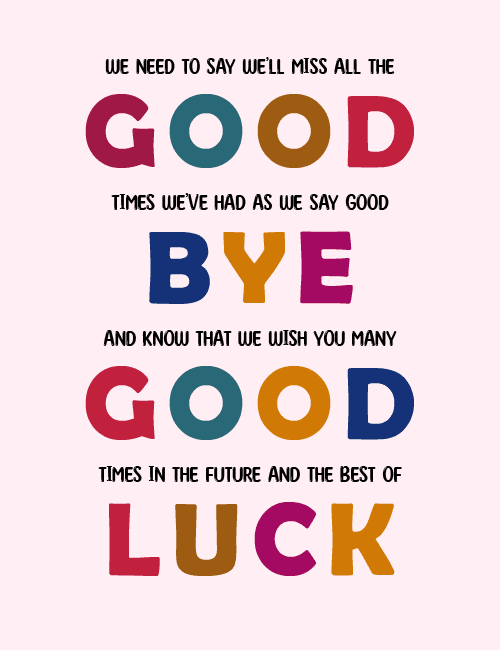
Big, chunky letters in berry, teal, burnt orange, crimson, navy and magenta spell out GOOD, BYE, GOOD and LUCK down a soft pink background, with smaller black hand-lettered lines tucked in between.
Read top to bottom, the whole thing forms one sentence: we'll miss all the good times we've had, and we wish you many more in the future. The mix of colors feels cheerful rather than sad, so the goodbye lands as warm and encouraging. That makes this farewell card a good fit for a coworker moving on, a teammate leaving for a new job, or a friend heading off somewhere new. Because the message is already written, it works well as a group card that everyone can sign. Send this goodbye ecard to say you'll miss them and you're rooting for what comes next.
Browse all free group farewell cards onlineNot quite right?
More free group farewell cards online





Good to know
Frequently Asked Questions
Find answers to common questions about our group cards and services.