
Forgive Me For Everything Floral Card
A free group sorry (apology) card — personalise it, invite everyone to sign, and deliver it by email or link.
Personalise your card
Takes about a minute. Nothing is sent until you're ready.
About this design
About the Forgive Me For Everything Floral Card
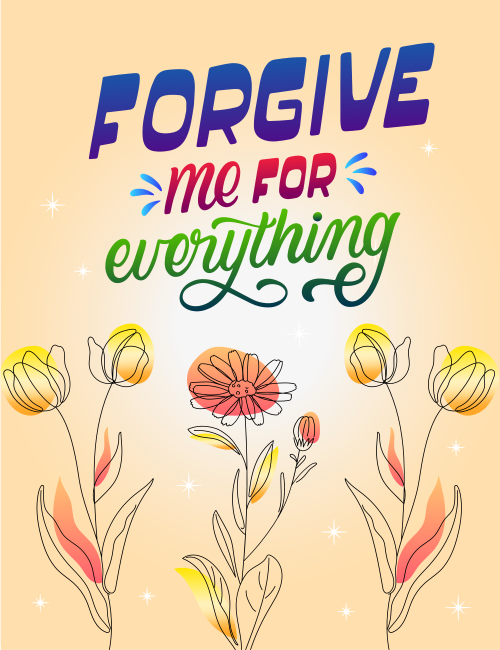
Three styles of lettering stack up at the top of this card: chunky blue-to-purple capitals spelling "Forgive," a red-to-magenta script for "me for," and a flowing green cursive "everything" that ends in a looping flourish.
Below, loose line-drawn flowers stand against a soft peach background, with yellow tulips on either side and an orange-pink daisy in the middle, each dabbed with a patch of warm color. Small white sparkles are scattered throughout. The mood is hopeful rather than heavy, which makes this sorry card a good fit when you want to own a mistake without making the moment more painful. It suits a partner, a close friend, or a family member after an argument. Send it on its own, or let a group sign it together. It's a gentle way to say you're ready to make things right.
Browse all sorry (apology) cards


Good to know
Frequently Asked Questions
Find answers to common questions about our group cards and services.