
Farewell And Good Luck Colleague Card
A free group farewell card — personalise it, invite everyone to sign, and deliver it by email or link.
Personalise your card
Takes about a minute. Nothing is sent until you're ready.
About this design
About the Farewell And Good Luck Colleague Card
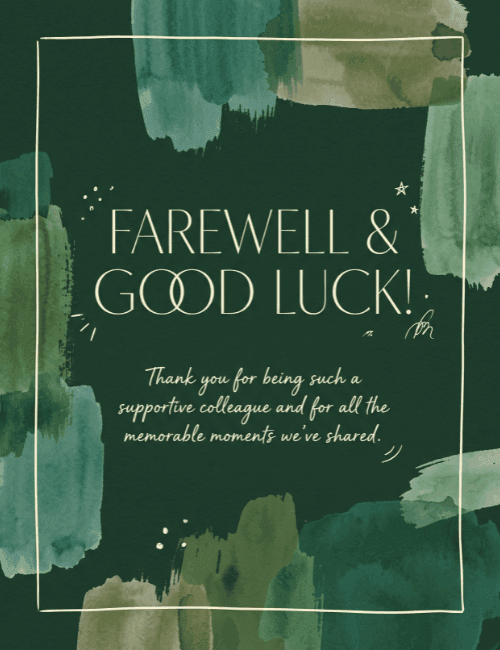
Deep forest green sets the mood here, with loose watercolor brushstrokes in teal, sage, and olive washing in from the edges and corners.
A thin, hand-drawn cream frame sits inside them, and the words "Farewell & Good Luck!" appear in tall, elegant capitals at the center. Below, a softer script line thanks a colleague for being supportive and for the memorable moments shared. Tiny doodled stars and sparkles add a light, personal touch. The look is calm and polished rather than flashy, so this farewell card for a colleague suits someone you've genuinely enjoyed working with. Send it when a teammate moves on, retires, or changes roles, or pass it around so everyone can add a note. It's a quiet, sincere way to say thank you and wish them well.
Browse all free group farewell cards onlineNot quite right?
More free group farewell cards online





Good to know
Frequently Asked Questions
Find answers to common questions about our group cards and services.