
Don’t Forget Us – Funny Team Farewell Card
A free group farewell card — personalise it, invite everyone to sign, and deliver it by email or link.
Personalise your card
Takes about a minute. Nothing is sent until you're ready.
About this design
About the Don’t Forget Us – Funny Team Farewell Card
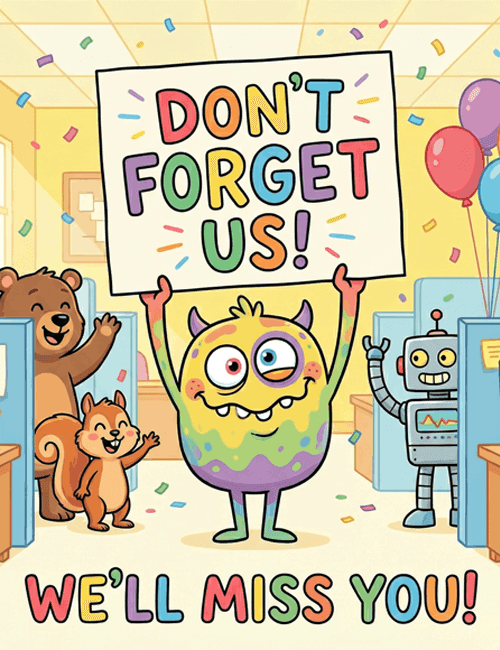
A goofy yellow-and-purple monster holds a big sign overhead that reads "Don't Forget Us!" in rainbow-colored letters, with "We'll Miss You!" running across the bottom.
Around him, an office scene fills in the details: a grinning brown bear and a squirrel waving from one side, a friendly gray robot waving from the other, balloons in the corner, and confetti drifting down over the cubicles. The soft yellow backdrop and cartoon style keep the mood playful rather than sad. This funny farewell card suits a coworker who's leaving for a new job, a retiring teammate, or a manager moving on. It's especially fun as a group card, since everyone in the office can sign it before it's sent online. A lighthearted way to say goodbye and remind someone they'll be missed.
Browse all free group farewell cards onlineNot quite right?
More free group farewell cards online





Good to know
Frequently Asked Questions
Find answers to common questions about our group cards and services.