
4th of July Sparkler Typography Celebration
A free group 4th of july cards card — personalise it, invite everyone to sign, and deliver it by email or link.
Personalise your card
Takes about a minute. Nothing is sent until you're ready.
About this design
About the 4th of July Sparkler Typography Celebration
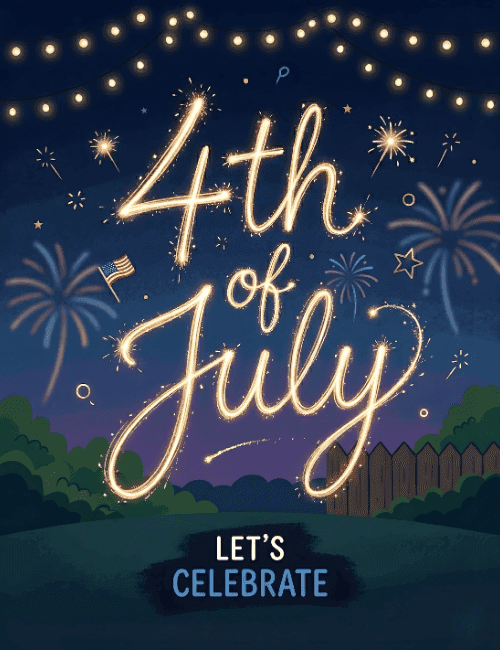
Hand-lettered "4th of July" glows across a deep navy night sky as if someone traced it in the air with a sparkler, each loop of the script trailing tiny golden sparks.
Behind it, soft fireworks in muted blue and coral bloom over a dusky purple horizon, and a small American flag sits tucked at the left. Strings of warm lights hang across the top, while a wooden fence and rounded green hedges frame a quiet backyard lawn below. A dark brushstroke at the bottom holds the words "Let's Celebrate" in white and blue. It feels relaxed and nostalgic, more cookout than parade. Send this 4th of July ecard to neighbors, family, or friends you'll be grilling with, or have everyone sign it together before the fireworks start. It's a simple way to share the glow of a summer night.
Browse all 4th of july cards



Good to know
Frequently Asked Questions
Find answers to common questions about our group cards and services.